

Accessibility Required for window switching
Used to read window information and switch windows. Without it, Unau cannot find or switch to windows.
Help & guide
Find the step you need now. Explore the rest in your own time.
Getting started
Open the downloaded DMG, drag Unau into Applications, then open it from there.
Allow Accessibility to find and switch windows. Screen Recording is optional, for image previews.
Click the sloth at the top of the screen to open the window shelf. Right-click or Control-click for quick tools. Unau does not appear in the Dock.
The current test build is not notarized by Apple. If macOS cannot verify the developer, first confirm you downloaded it from the Unau website or its official releases page. After trying to open it, go to System Settings › Privacy & Security and choose Open Anyway.
If macOS reports malware, damage to your computer, or a damaged app, stop and download a fresh copy from the official source or contact the author. A managed Mac may not allow an exception.
Apple’s first-launch guidance ↗Quit Unau and check that you are using one copy, preferably in Applications. In the relevant permission list under System Settings › Privacy & Security, remove the old entry, add the current Unau app and enable it, then reopen Unau. Restart if macOS asks.
Open the official releases page and choose the installer whose name ends in macos-universal.dmg. It supports Apple Silicon and Intel. This website cannot confirm that a download finished; check your browser’s downloads list.
Open official releases ↗A paper, an essay and reading notes, side by side on the shelf. Preview and switch while each window stays in its original position.
Open tools from the menu bar or window shelf, adjust what you need, then tuck the panel away. This is the Keep Awake panel.
Try Keep Awake →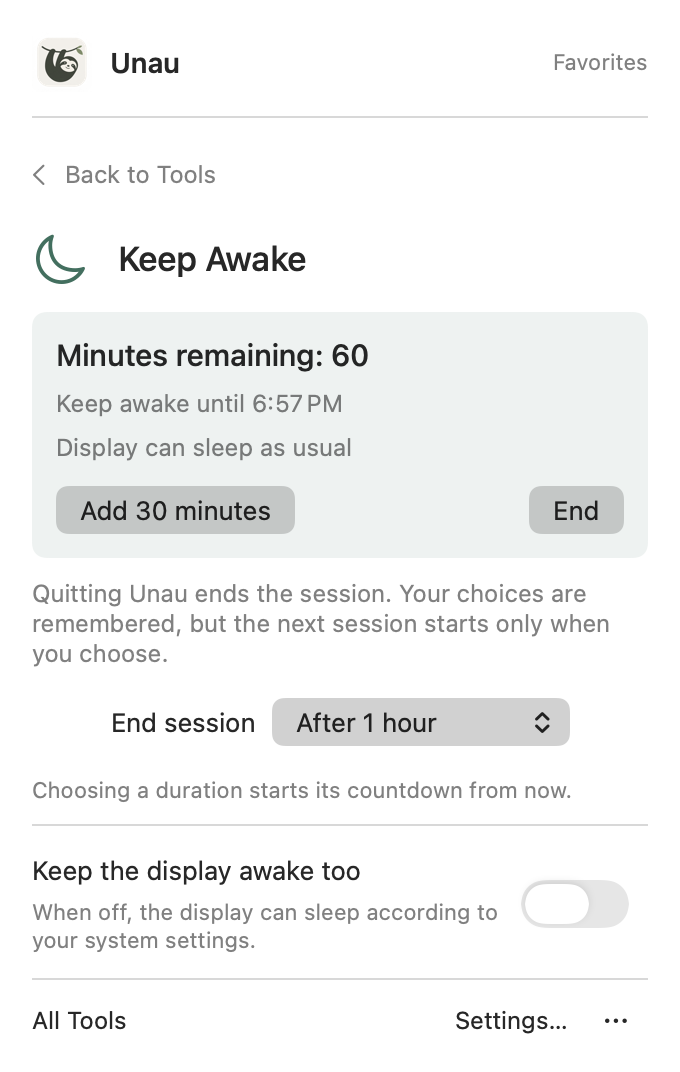
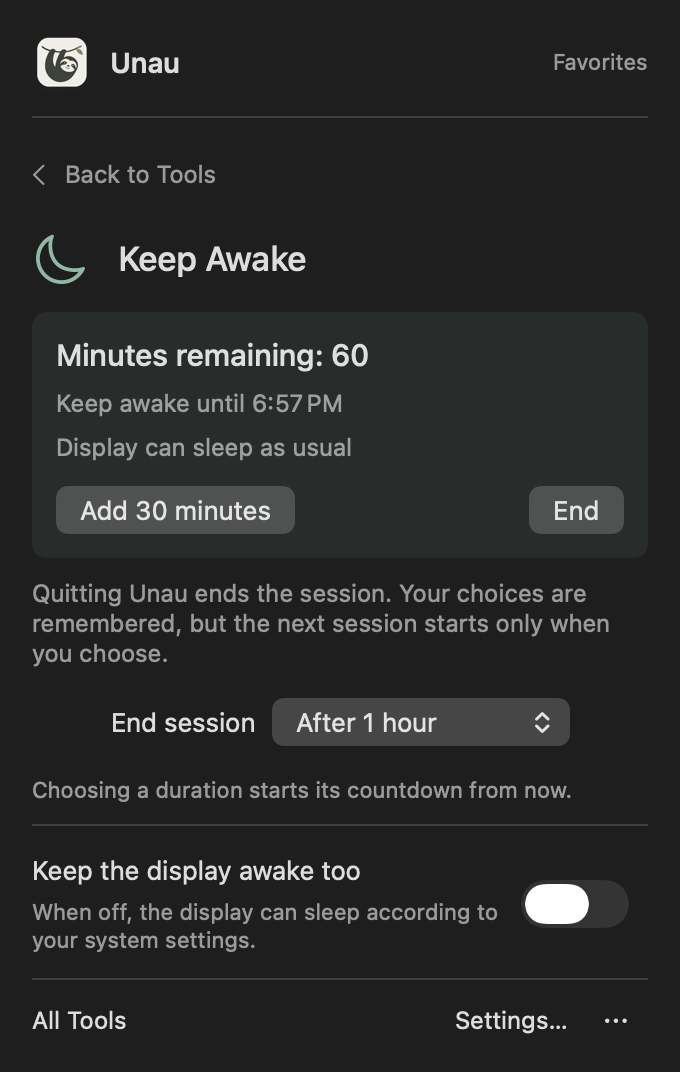
Rendered from Unau’s native interface, with sample content.
Using Unau
Group your editor, terminal, and docs under Development, or articles and notes under Reading. You can reorder them and undo edits. Switching collections only changes what the shelf shows. It doesn’t launch apps, move windows, or restore a layout.
Collection names, member information, and order are saved on your Mac. After a restart, Unau suggests windows to reconnect; you confirm the matches and choose when there’s ambiguity. During the current app session, it also remembers the browsing position for each collection and display.
Previews are processed on your Mac, never uploaded, and not written to collection files. Accessibility permission lets Unau read window information and switch windows; Screen Recording enables previews. You can use icons and titles alone. This website demo uses sample content and never requests these permissions.
Try the shelf if you keep an editor, terminal, and docs open, or often hunt for windows across displays. If you only need to move or tile windows, macOS window management may be enough. Unau focuses on finding a window and getting back to it.
You can download the beta for testing. Pricing and licensing are not open yet. Read the release notes for system requirements and known limitations before installing.
Both tools are included in beta.4. Use Check for Updates in the app or download the installer from the release page. Web demos remain on the Features page.
Try Keep Awake →Open the quick panel from Tools on the window shelf or by right-clicking the menu bar icon. Configure Keep Awake and Keyboard Cleaning there; open All Tools for the full list.
Not by default. Your Mac keeps running while idle, but the display can sleep as usual. For presentations, you can also turn on “Keep the display on.” Closing the lid, manual sleep, and system safeguards still take effect.
Closing the panel leaves Keep Awake running. Quitting Unau ends the session. Your duration and display choices are remembered next time, but the session does not start automatically. A timed session can be extended by 30 minutes; choosing a duration starts a new countdown from that moment.
Window previews use macOS screen capture, which may show a recording indicator. Beta.4 reduces repeated capture during fast browsing, but does not hide system privacy indicators. You can turn previews off and use icons and titles instead.
Tell us what you were doing, what happened, and what you expected instead.
For app issues, your macOS version and number of displays can help.